Account
Brands & team
Run several businesses from one account, invite people to help, and choose what each can do. Agency plan.
A brand is one business. Each brand has its own calendars, connected accounts, inbox, website and settings. The Agency plan includes up to 5 brands and 5 team members.
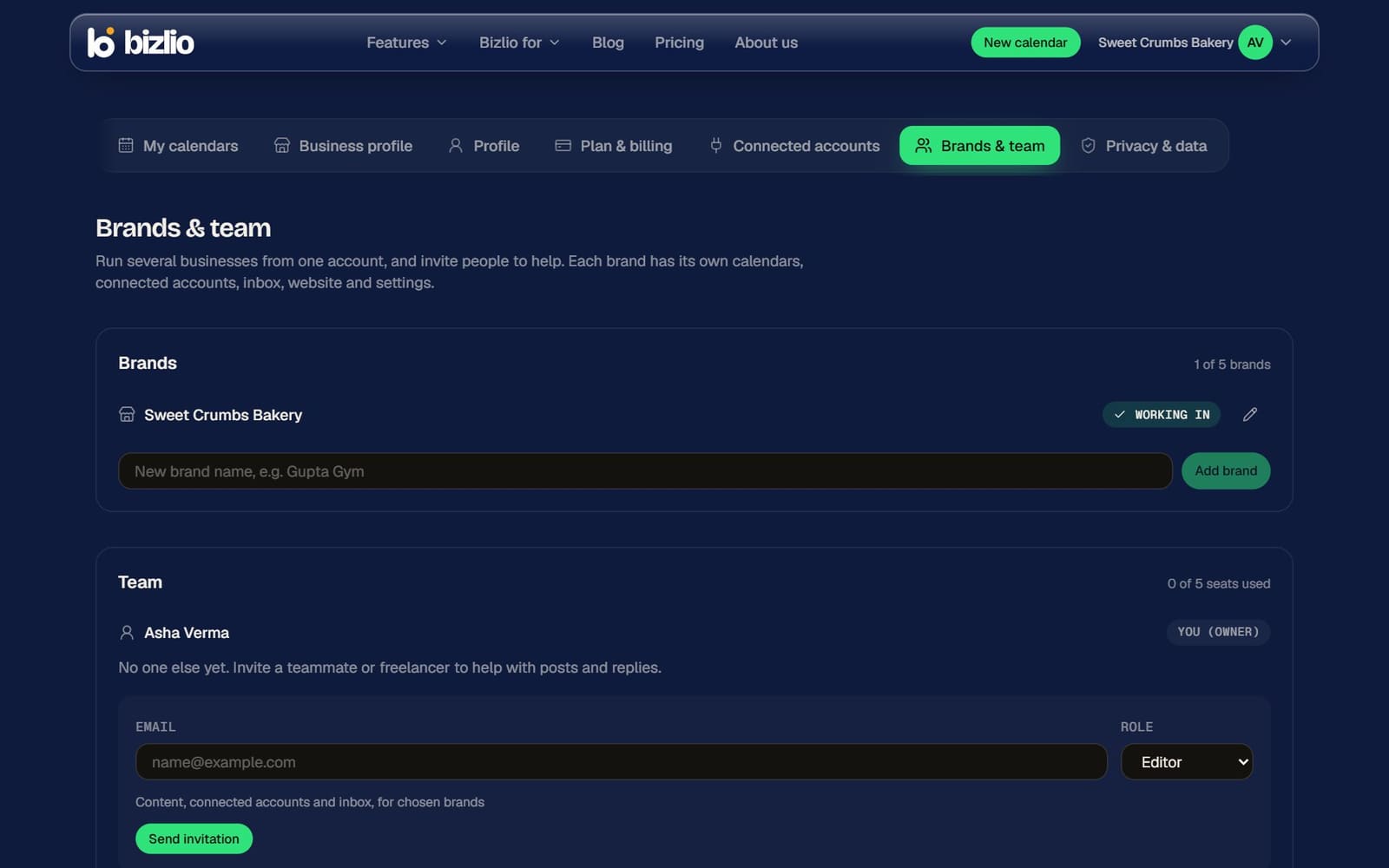
Brands
- Add one under Account menu > Brands & team > Add brand.
- Switch brands from the account menu: click a brand to work in it. The brand you're in has a tick; click it to open its details.
- Rename a brand with the pencil. Deleting a brand permanently removes everything in it, so you're asked to type its name to confirm.
- Need more than 5 brands? Contact us for pricing.
Team
| Role | Can do |
|---|---|
| Owner | Everything, including billing. |
| Admin | Everything except billing: brands, team and content. |
| Editor | Content, connected accounts and the inbox, for the brands you choose. |
- 1
Invite
Enter their email, pick a role, and choose All brands or only some. Click Send invitation.
- 2
They accept
They sign in (or create a free account) with that email and open the link. It works for 7 days; Resend sends a fresh one.
- 3
Change or remove
Change a member's role or brands any time, or Remove them: they lose access straight away.
To share posts with a client who isn't on your team, use client approval links.