Content calendar
Create a calendar
Plan 30 days of posts researched from what's working in your niche right now.
A calendar is a month of posts for one business. Bizlio looks at top-performing Instagram posts and YouTube Shorts in your niche, works out which hooks and formats are getting views, and writes 30 days of ideas for you.
Create one
- 1
Click New calendar
It's the green button at the top of every page once you're signed in.
- 2
Check your business name
It's your business's one name: your calendars and your website use it, and changing it here renames it everywhere.
- 3
Pick the platform
Instagram, YouTube or Both. Both adds Shorts ideas next to your Instagram posts.
- 4
Describe the business
Your niche (pick one or type your own), and About your business: what you sell, who it's for, prices and current offers. Only what you write is used; Bizlio never invents offers.
- 5
Add content pillars
3 to 8 topics you post about, like "Behind the bake" or "Customer stories". Click Suggest pillars for my niche for ideas.
- 6
Set the details
Audience, posting frequency, language (English, Hinglish, Hindi or a regional language), goals and a start date. All are optional; leave the date empty to start today.
- 7
Generate
Click Generate my 30-day calendar.
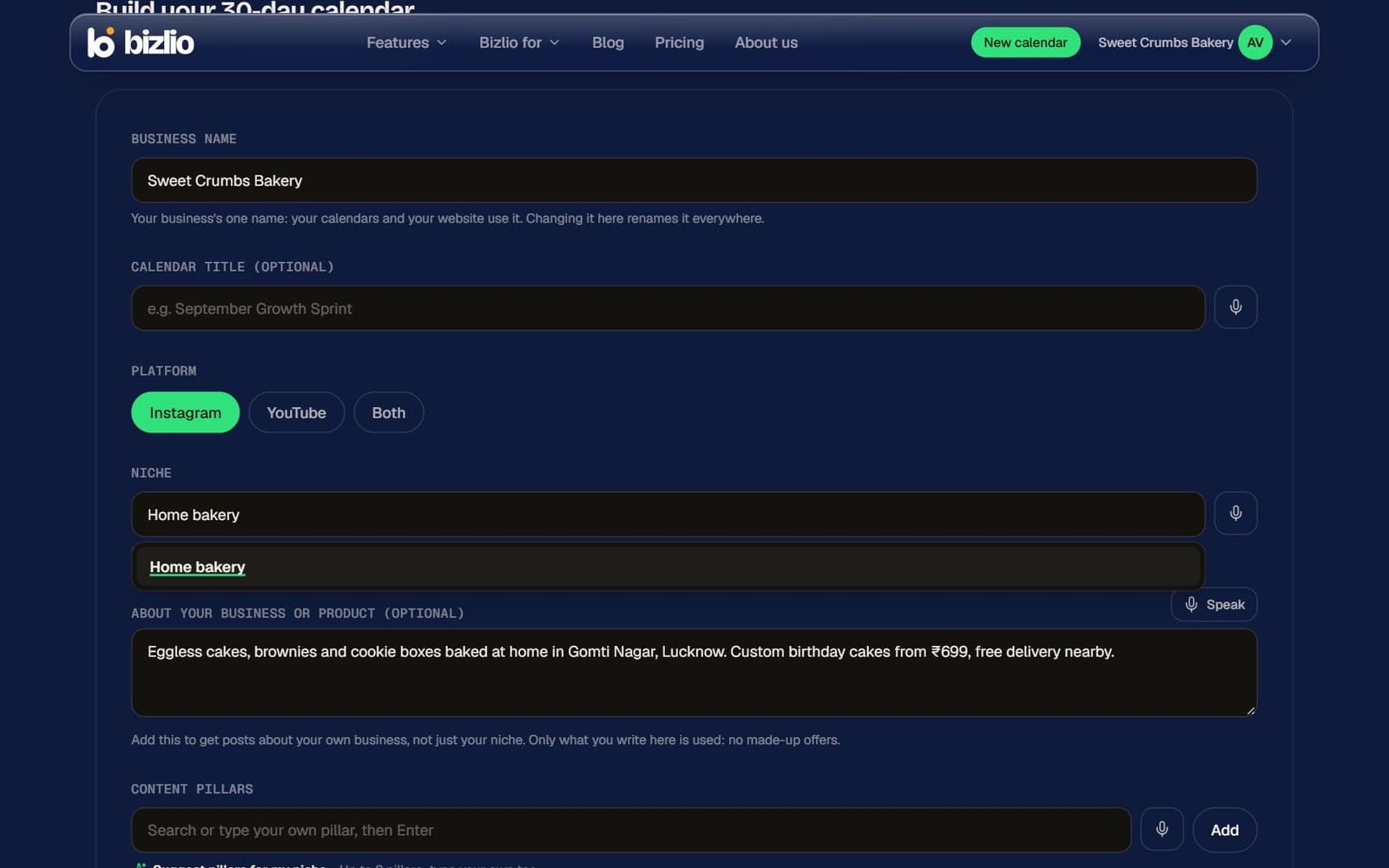
Each calendar asks for these details fresh. Only the business name carries over, so you can plan a festive month differently from a normal one.
While it's being made
The calendar shows Researching, then Generating, then Ready. It usually takes 1 to 3 minutes, depending on how much content Bizlio finds. You can close the page; the calendar keeps building.
What you get
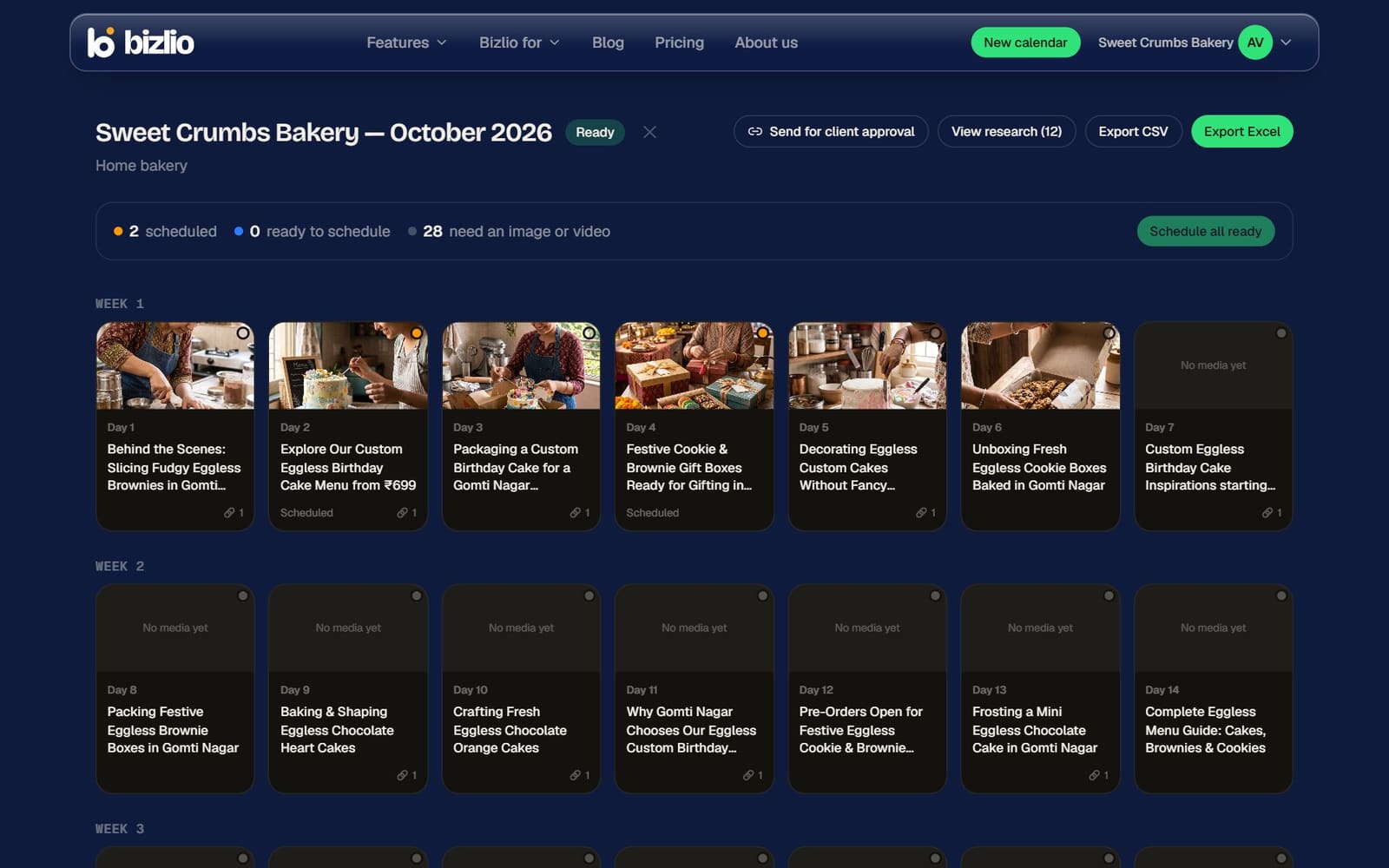
- 30 days, each with a title, a format (image, carousel or Reel), a content pillar, 5 to 7 hook options, a caption, a call to action and hashtags.
- Production notes: a shot list for Reels, or slide-by-slide text for carousels.
- Why this idea: the top posts in your niche each day was based on, with their views and likes.
- View research: every post Bizlio studied for your calendar.
Export
Use Export CSV (all plans) or Export Excel (paid plans) at the top of a calendar to plan in a spreadsheet or share with a designer.
The free plan includes 1 calendar a month. In the last 3 days of a calendar, Plan next month on My calendars starts the next one with the same answers; or upgrade for unlimited calendars.