Website Maker
Appointments
Let customers book a time on your website, with your hours, staff and holidays. Growth plan.
Customers pick a service and a free time, and you confirm each booking with them on WhatsApp. Only services timed in minutes can be booked online.
Turn it on
- 1
Add services with a time
In Services, set How long it takes to Minutes.
- 2
Open Appointments
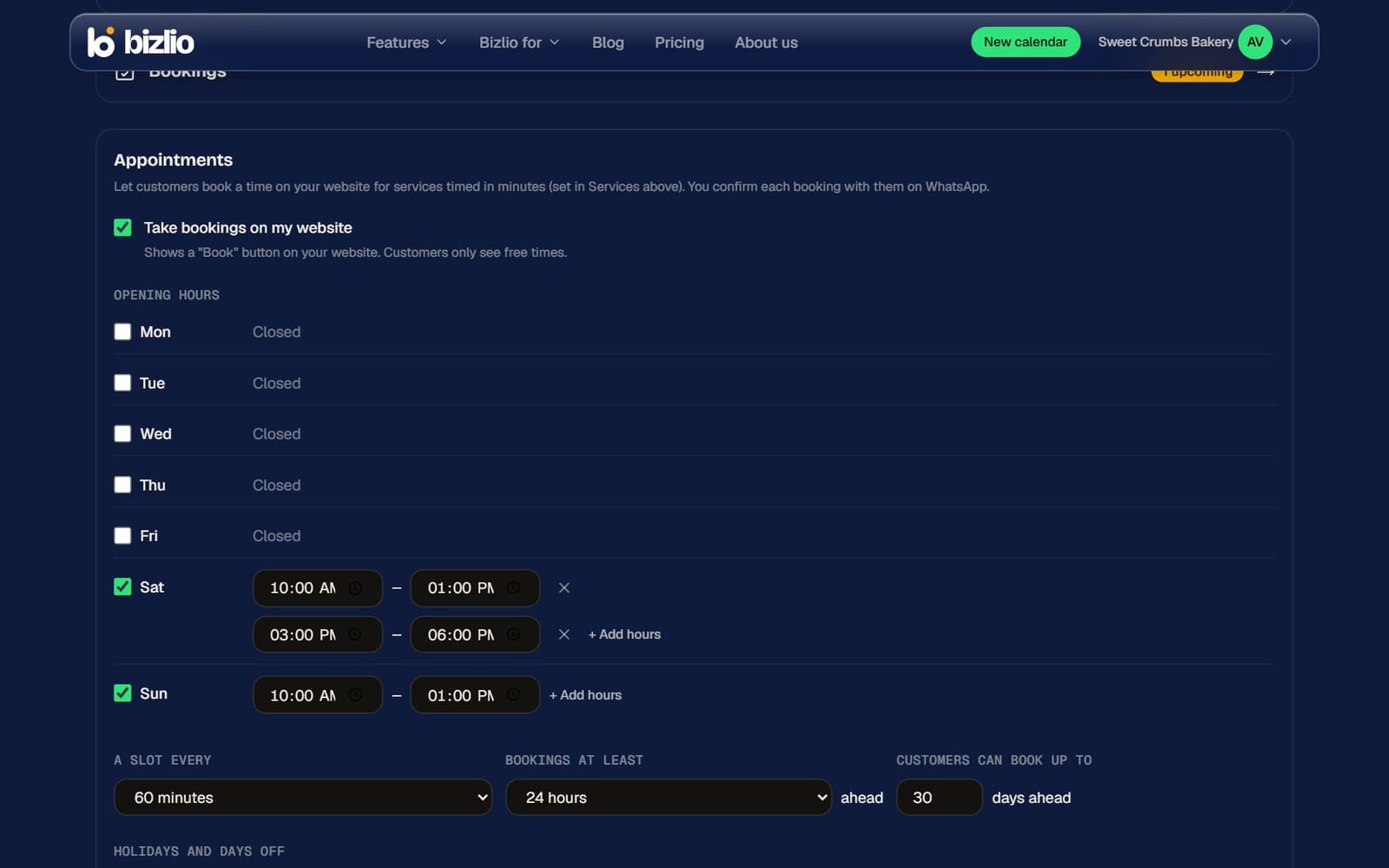
In Website Maker, tick Take bookings on my website.
- 3
Set your hours
Opening hours for each day, with up to 3 ranges a day for breaks.
- 4
Booking rules
A slot every (how often slots start), how long before a booking must be made, how many days ahead customers can book, and Holidays and days off.
- 5
Save
A Book button appears on your website.
Staff
Add staff to let customers choose who they book with. Each person can have their own working hours, and each service can list who offers it. Without staff, all bookings go on one calendar for the business. Customers can also choose Anyone available.
Manage bookings
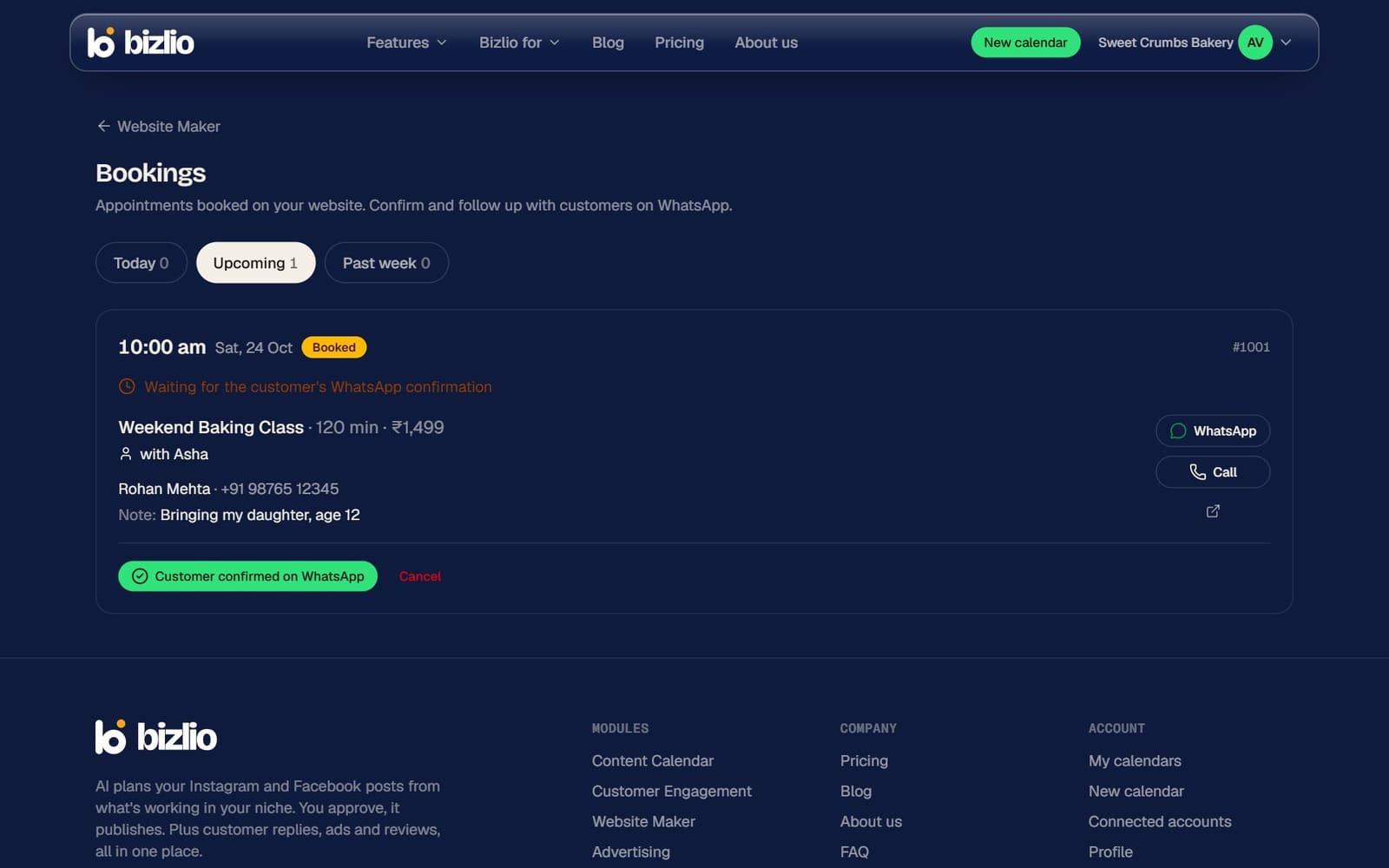
Open Bookings from Website Maker to see today's and upcoming appointments. Mark each one Customer confirmed on WhatsApp, Done or No-show, or cancel it to free the time.