Content calendar
Images, carousels & Reels
Add an AI image, your own photos, a multi-slide carousel or a Reel video to each day.
Every day needs an image or a video before it can be published. Choose the format under Post as: Image, Carousel or Reel.
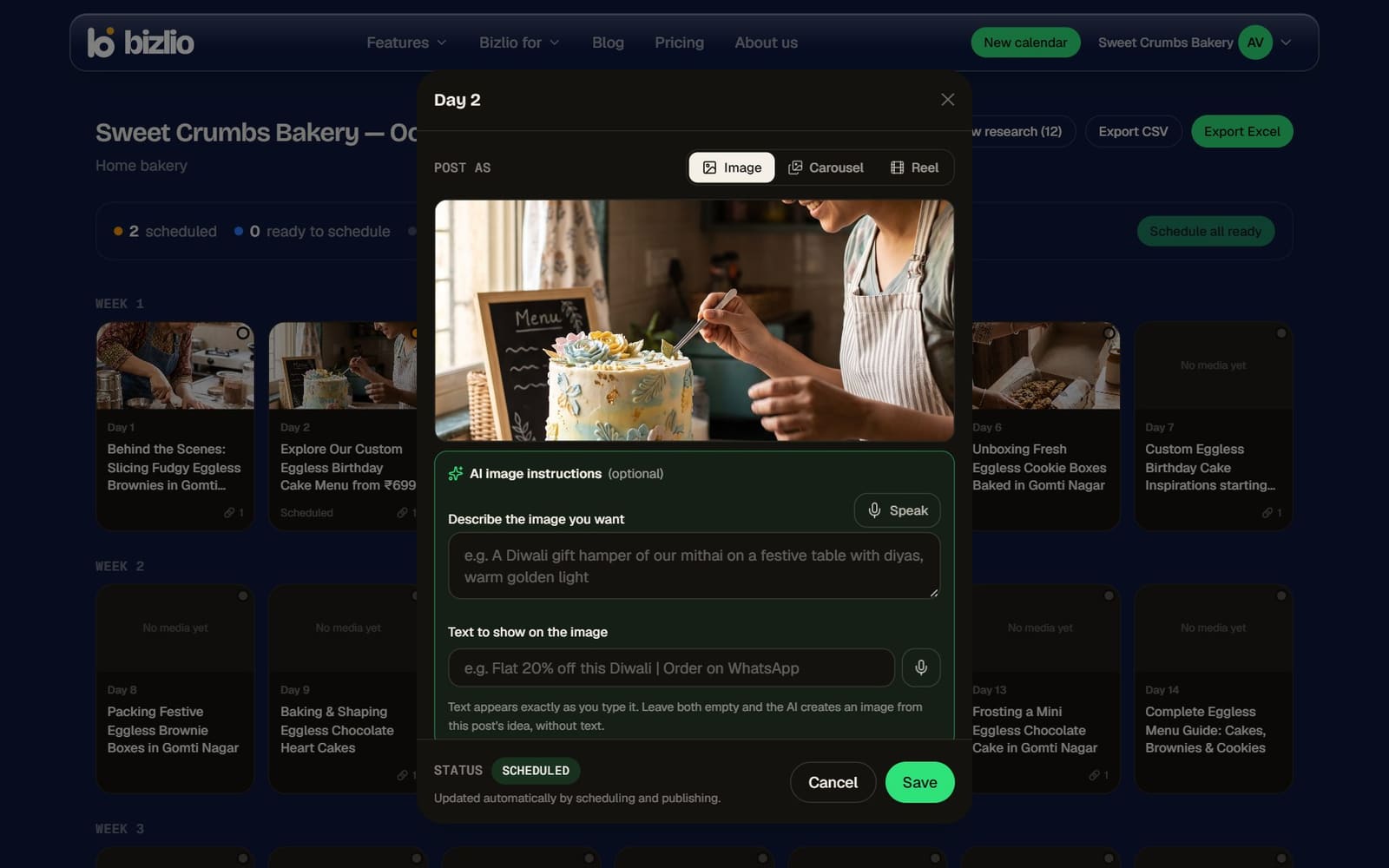
Images
- Upload your own: JPEG, PNG or WebP. Instagram accepts shapes from 4:5 (portrait) to 1.91:1 (landscape); other shapes are trimmed from the centre to fit.
- Generate with AI (paid plans): leave the instructions empty for an image based on the post's idea, or describe what you want.
Text on AI images
Under AI image instructions, type the exact words in Text to show on the image, like "Flat 20% off this Diwali | Order on WhatsApp". It appears exactly as you type it, which makes offer posters easy.
For your own products, use your own photos: people buy what they'll actually get. AI images work best for offers, festive greetings and backgrounds.
Carousels
- 2 to 10 slides. Add slides with Add slides (upload), Generate AI slide, or Use this day's image as a slide.
- Reorder with the arrow on a slide, and remove with the cross.
- Instagram crops every slide to the first slide's shape, so keep them the same size. 1080×1350 works well.
- The text for each slide is in the day's Production notes.
Reels
- Film it using the shot list in Production notes, then upload the video.
- MP4 or MOV, 3 seconds to 15 minutes, up to 100 MB. Vertical 9:16 (1080×1920) looks best.
- Add a Cover image if you want to choose the thumbnail on your profile. Without one, Instagram picks a frame.
Bizlio removes a Reel's video from its storage once Instagram has it, to keep your account light. The post on Instagram isn't affected.