Website Maker
Products
Add products with photos, a video, prices, colours, sizes and stock.
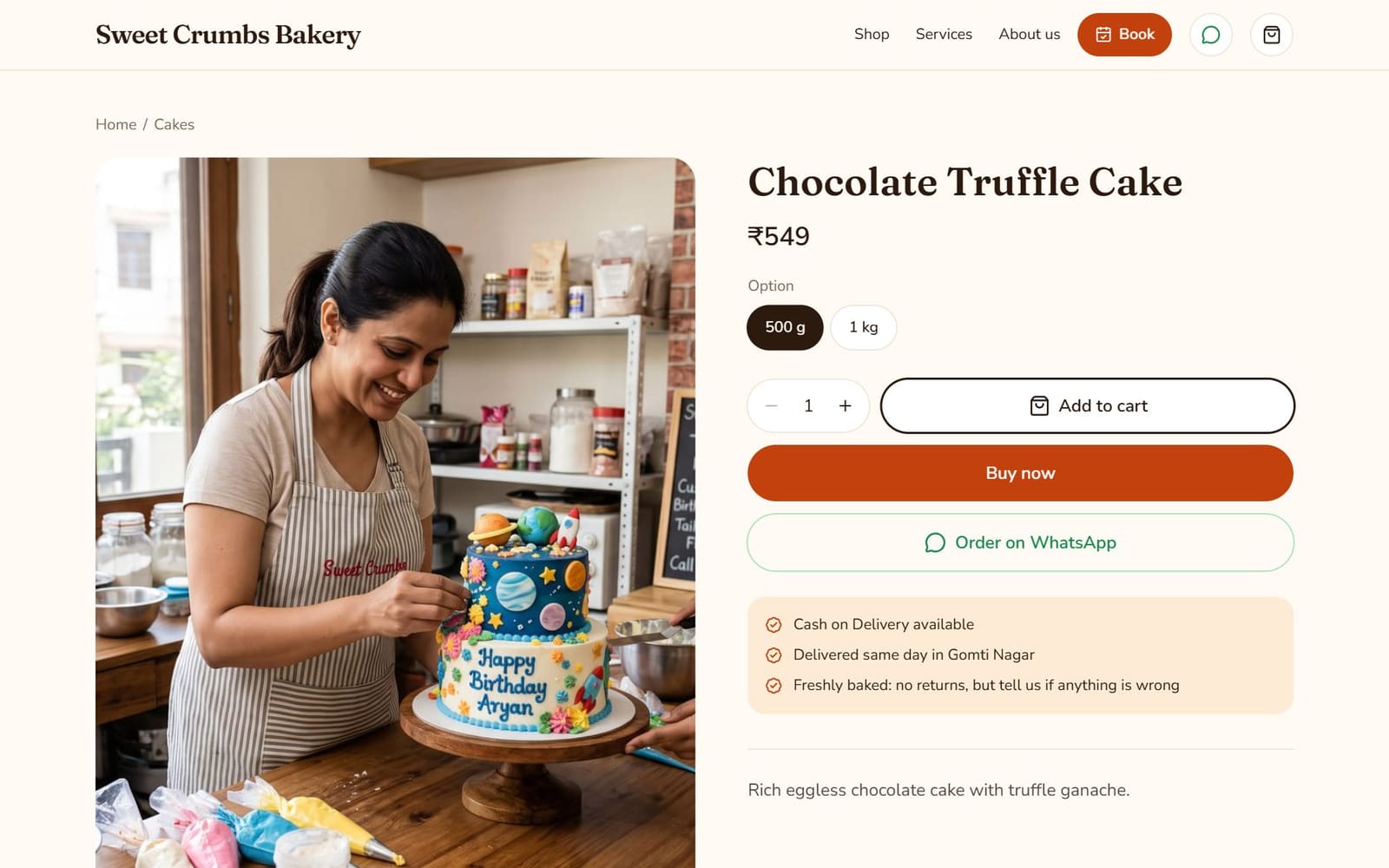
Products appear on your home page and your shop page. Each has its own page with a photo gallery and an Order on WhatsApp button, or a cart on paid plans.
Add a product
- 1
Click Add product
In Website Maker, under Products.
- 2
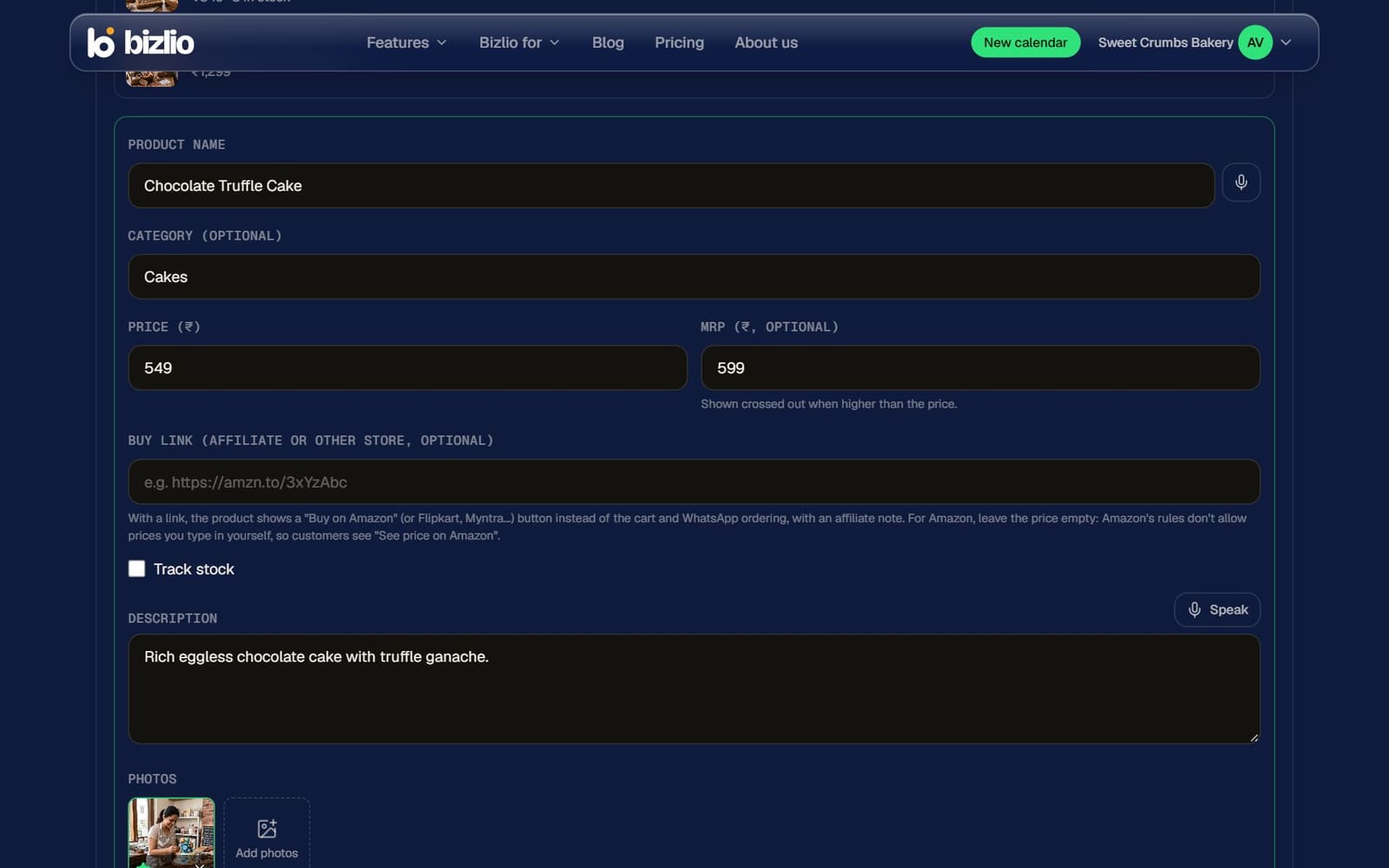
Name and price
Leave the price empty to show "Price on request". Add an MRP to show it crossed out with the discount.
- 3
Photos
Up to 6. The first is the main photo; tap the star on another to make it main.
- 4
Save
New products appear first on your website.
More options
| Option | What it does |
|---|---|
| Category | Groups products on your shop page, like "Sarees". Customers filter by it. |
| Track stock | Shows "Only 3 left" and "Sold out", and stops orders when it runs out. |
| Video | One short video (MP4 or MOV, up to 50 MB and 3 minutes). It shows first in the gallery, and Bizlio takes a still from it for the thumbnail. |
| Colours | Up to 12. Customers pick one; link a colour to a photo so it shows when chosen. |
| Variants | Up to 20 sizes, weights or packs, each with its own price, MRP and stock. |
| Buy link | An affiliate or other-store link (Amazon, Flipkart, Myntra...). The product shows "Buy on Amazon" instead of the cart, with an affiliate note. |
For Amazon links, leave the price empty: Amazon's rules don't allow prices you type in yourself, so customers see "See price on Amazon".
Manage products
- The link icon copies a product's own link, for a caption, story or WhatsApp.
- The eye icon hides a product from your website without deleting it.
- The free plan includes 3 products; paid plans up to 200.
Customers browse photos with the arrows on the big photo, swipe on phones, or tap a photo to see it full screen.